
Plan my day
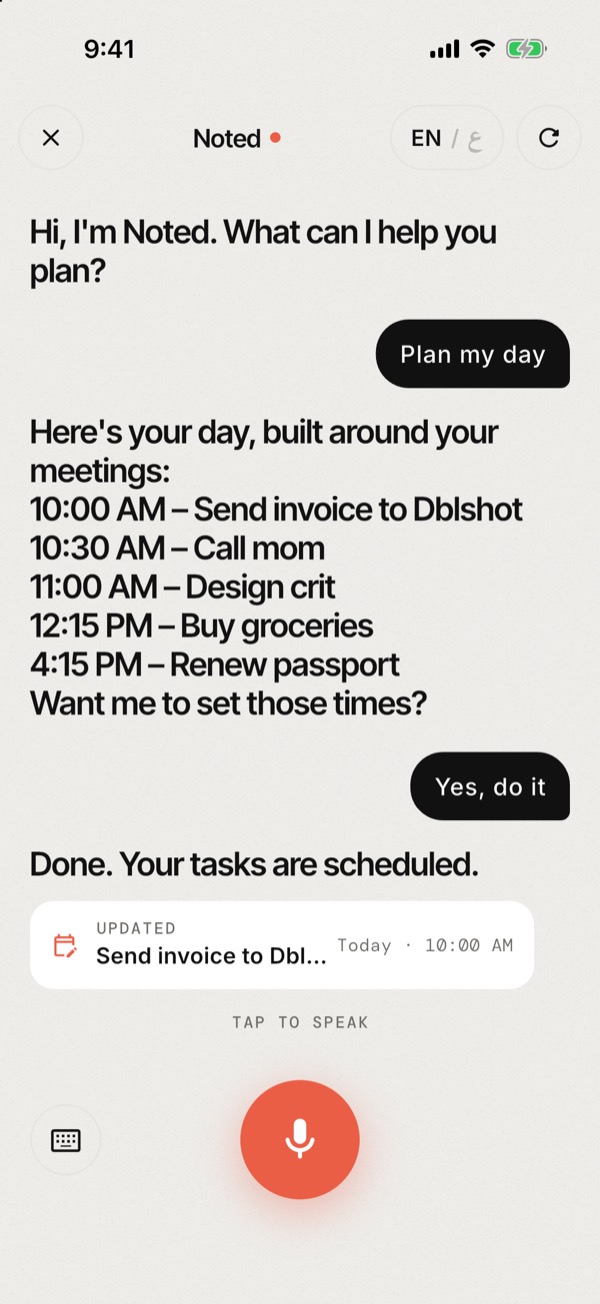
Ask Noted to plan your day. It works around your meetings, puts overdue and urgent things first, groups quick errands and leaves room for lunch. Say yes and it sets the times.
Tasks, reminders, habits and a plan for your day, all from your voice. In English or Arabic.
Speak, don't type
What it does
Noted listens, understands what you meant, and keeps up when you change your mind.
Ask Noted to plan your day. It works around your meetings, puts overdue and urgent things first, groups quick errands and leaves room for lunch. Say yes and it sets the times.
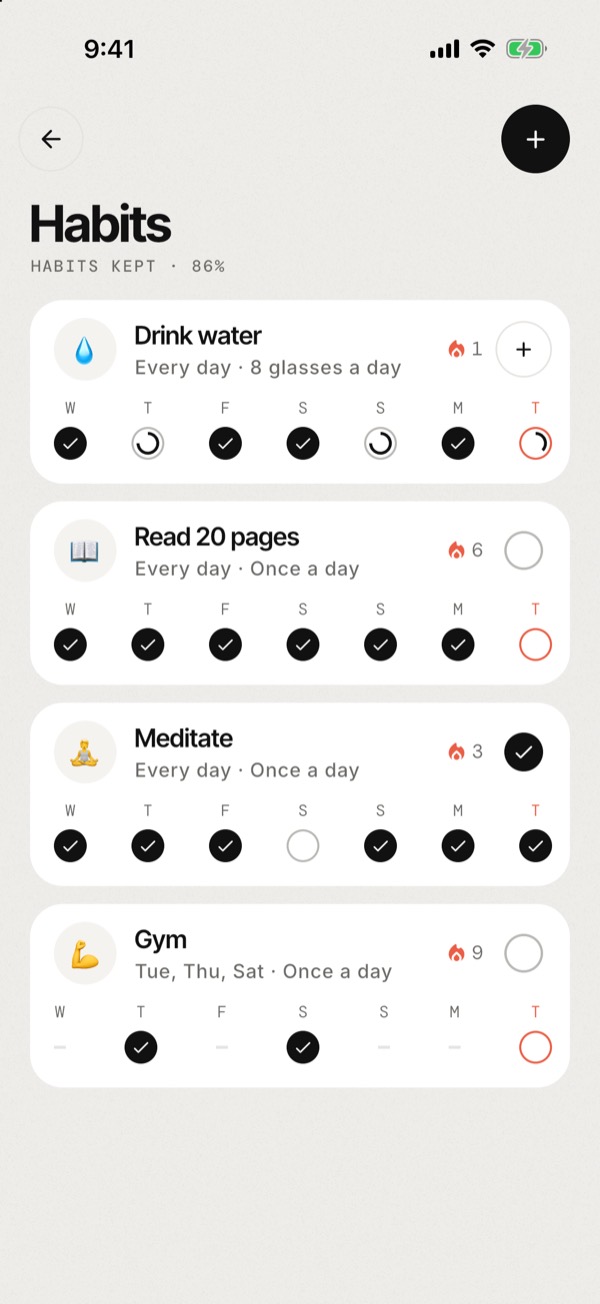
Tap a ring to log it: 8 glasses of water, 20 pages, the gym on Tuesdays and Thursdays. Streaks only count the days you planned, so a rest day never breaks them.
Speak English, or everyday Egyptian, Gulf or Levantine Arabic. Noted replies in the language you used and reads it aloud.
Home shows what got done this week, how your habits are holding up, your best streak, and a gentle nudge when one is at risk.
Tasks, events and habits remind you right on your phone, even with no signal.
Group tasks into plans and watch them fill up. See events and tasks together, day by day.
Follows your iPhone's appearance, or pick Light or Dark in Settings. Sign in with Apple, Google or email and your tasks, plans and habits sync across devices.
Every habit is a ring on Home. Tap to add one more glass, page or set; it turns coral when you hit your goal.
Privacy
Your plans are yours. Here's the short version; the full policy has the details.
We don't sell your data or use it for advertising. There's no tracking.
Use Noted as a guest and your tasks, habits and events are saved only on your phone. Sign in only if you want sync.
Settings → Delete account permanently removes your account and everything synced with it.
FAQ
Yes, Noted is free to download and use. The AI assistant has a fair-use limit of 60 messages a day, which is plenty for planning.
No. Continue without an account and your tasks, habits and events are saved only on this phone (chat messages still go to the assistant). Sign in with Apple, Google or email when you want them synced across devices.
English and Arabic, including everyday Egyptian, Gulf and Levantine dialects. Switch the mic between EN and ع in the chat. The app's menus and buttons are in English for now.
No. Your iPhone's speech recognition turns your voice into text (as with any dictation, Apple may process it to do this), and Noted never stores audio. The assistant only receives text: your recent chat and, if Cognitive Memory is on, your tasks, events and habits so it can find and change them.
No. Messages are processed by Anthropic's Claude to work out what to do, and Anthropic doesn't use them to train its models. Noted doesn't keep chat history on its server.
iPhone with iOS 15 or later.